2008 Lincoln Navigator Speaker Sizes and Audio System Guide
2008 Lincoln Navigator Speaker Sizes and Audio System Guide
Save this audio guide to your Ownery garage
This page covers the factory speaker locations and upgrade notes for the 2008 Lincoln Navigator. Equipment can vary by trim, body style, and audio package, so factory amplifier details should be verified by trim and audio package. The speaker layout shown here is based on direct data for this model year, and selected audio systems may also include additional equipment depending on how the vehicle was equipped.
Data verified by Nick Marchenko, PhD
Speaker Size Chart – 2008 Lincoln Navigator
Use this table as the main reference. Fitment depends on trim, factory audio package, mounting depth, and adapter availability.
| Location | Type | Factory Size | Note |
|---|---|---|---|
| Front Door | Full-Range | 6 x 8 inch | |
| Rear Door | Full-Range | 6 x 8 inch |
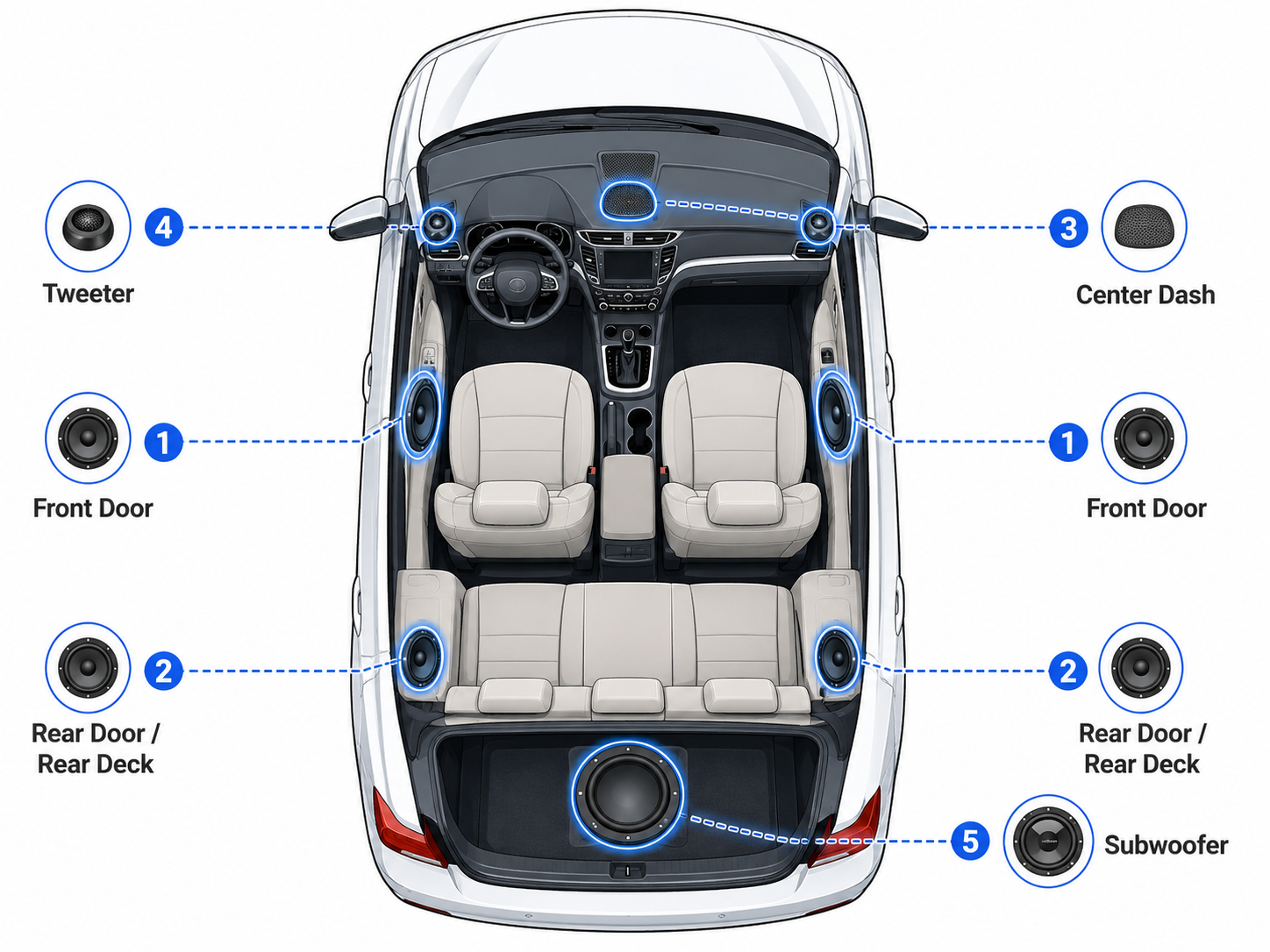
Generic speaker location diagram. The table above shows the specific factory sizes for this vehicle. Exact location details may vary by body style and trim.
Speaker Count by Trim – 2008 Lincoln Navigator
Speaker count and audio equipment vary by trim and factory audio package. This table lists known configurations from our database.
| Trim | Speakers | Amplifier | Radio | Navigation |
|---|---|---|---|---|
| Base 4dr 4x2 | 14 | premium | – | – |
| Base 4dr 4x4 | 14 | premium | – | – |
Data sourced from manufacturer specifications. Verify with the window sticker or dealer before ordering audio components.
Vehicle and Audio System Specifications
This block helps identify the vehicle and its audio system configuration for fitment decisions.
What Speakers Fit the 2008 Lincoln Navigator?
Aftermarket fitment should start with the factory speaker locations listed above, but diameter alone is not enough. Check mounting depth, bracket fit, connector type, and whether the vehicle has a premium or factory-amplified audio system. On this 2008 Lincoln Navigator, the listed front and rear door speakers are 6 x 8 inch full-range units, so replacement choices should match the opening and the vehicle’s audio setup. Factory amplifier details should be verified by trim and audio package.
Usually Safe Upgrades
- If your vehicle uses the front door 6 x 8 inch location, look for aftermarket full-range speakers in the same size with compatible depth and mounting requirements.
- If your vehicle uses the rear door 6 x 8 inch location, choose full-range replacements that match the factory opening and connector style.
- If equipped, selected audio systems may also include premium amplification, so speaker sensitivity and power handling should be considered before buying.
- If equipped, factory subwoofer details are not listed here, so any subwoofer-related upgrade should be verified separately.
Check Before Buying
- Confirm the speaker location and size before ordering, since the factory data lists 6 x 8 inch full-range speakers in both front and rear doors.
- Verify mounting depth and any bracket or adapter needs so the new speaker clears the door structure.
- Check the connector type on the vehicle side and compare it with the speaker pigtail or harness included with the replacement.
- Review the trim and audio package to see whether a premium amplifier is present, because that can affect speaker selection and system tuning.
Installation Notes
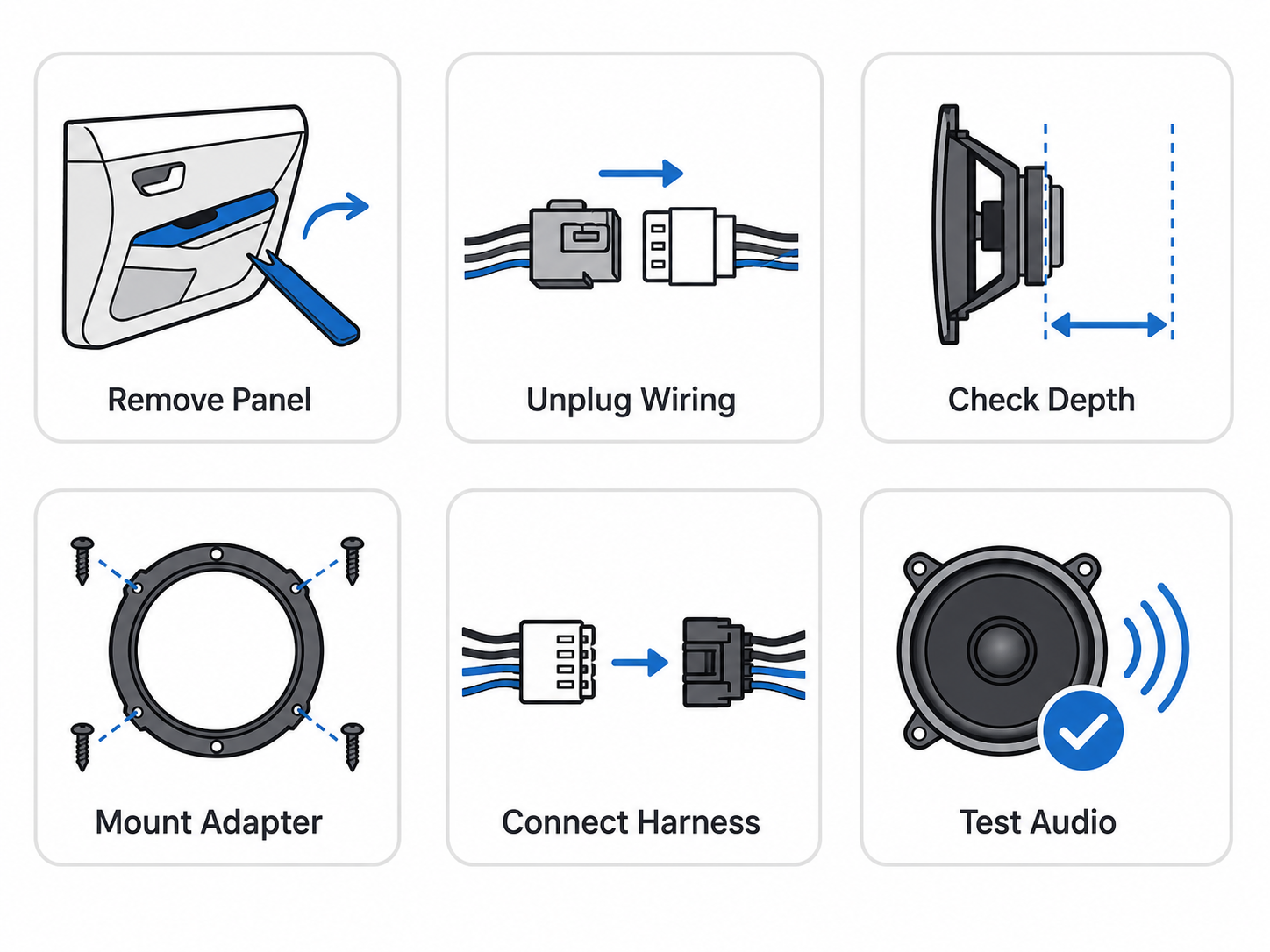
The 2008 Lincoln Navigator uses 6 x 8 inch full-range speakers in the front and rear doors, and the factory audio setup can vary by trim and package. Factory amplifier details should be verified by trim and audio package before starting. Panel removal is the first step, and care is needed around clips, switches, and trim pieces so nothing gets damaged during access. When replacing the door speakers, check speaker depth and mounting clearance before final installation, since the door structure and factory hardware can affect fitment. Mounting adapters may be needed to secure aftermarket speakers properly, and harness adapters can help preserve the factory wiring without cutting into the original connections. If your vehicle has the factory subwoofer, plan the upgrade around that system separately. After everything is installed, test each speaker for balance, polarity, and proper operation before reinstalling all panels.
Moderate difficulty, since door panel removal, wiring checks, and fitment verification all matter.
Common Mistakes When Replacing Speakers
Here are the most common mistakes people make when shopping for speaker upgrades for the 2008 Lincoln Navigator.
- Buying based only on the body-style label instead of checking actual speaker locations on the vehicle. This model’s direct speaker data shows 6 x 8 inch full-range speakers in the front and rear doors, so the vehicle layout matters more than the body-style name.
- Ignoring trim and audio package differences. Factory amplifier details should be verified by trim and audio package, since the trim table shows premium audio on the listed Base trims and the speaker count can vary by equipment.
- Choosing speakers without checking mounting depth and connector style. Even when the size matches, the new speaker still has to fit the opening and work with the vehicle’s wiring connection.
- Assuming tweeters are part of every setup. Tweeters are not listed for this vehicle, so if equipped on a specific audio package, they should be verified before ordering parts.
- Skipping amplifier compatibility checks. Because a factory amplifier may be present on some trims, the replacement speakers should be chosen with the audio system configuration in mind.
- Not testing the system before putting everything back together. Always confirm each speaker plays correctly after installation so wiring, polarity, and balance issues can be caught early.
Generation & Model Family
The 2008 Lincoln Navigator belongs to the Third generation (U326) (2007–2014) family. Nearby model years often share similar speaker locations and audio layouts, but exact fitment can vary by trim and audio package – verify before ordering.
Recommended Upgrade Path
The 2008 Lincoln Navigator uses full-range 6 x 8 inch speakers in the front and rear doors, and equipment can vary by trim and audio package. Some trims list a premium amplifier, so it is worth confirming the factory audio setup before planning upgrades. A smart upgrade path starts with the most audible changes first, then builds toward stronger output and a cleaner factory-style install.
| Goal | Best Upgrade Path | Why |
|---|---|---|
| Better clarity | Upgrade the front door speakers first, then add better front-stage tweeters if equipped or if your chosen system includes them. Focus on speakers that improve midrange detail and high-frequency response without changing the factory layout too much. | The front stage does the most work for vocals and instruments, so improving it usually gives the biggest jump in clarity. Since tweeters are not listed for this model, front-stage upgrades should be planned around the existing speaker layout and the audio package in the vehicle. |
| More bass | Add an aftermarket subwoofer system to complement the factory speakers and fill in the low end. If the vehicle has a factory bass system in a specific trim or audio package, verify how it is integrated before adding new bass equipment. | The listed speaker setup covers the doors, but deeper bass usually needs a dedicated subwoofer. Checking the factory audio configuration first helps avoid conflicts when adding low-frequency upgrades. |
| Louder sound | Properly matched speakers and amplifier integration can improve volume and reduce distortion. Verify factory amp and premium system integration before adding aftermarket amplifiers, then build the system around the existing audio package. | Higher output depends on both speaker choice and how the system is powered. Matching the upgrade to the vehicle’s factory audio setup helps keep the sound clean when volume goes up. |
| Budget improvement | Replace the front door speakers first with same-size replacement speakers with correct mounting brackets. This gives the best value because the front speakers handle the most important part of the sound. | A budget-focused upgrade should target the speakers you hear most often. Starting with the front doors gives a noticeable improvement without needing a full system overhaul. |
| Factory look | Use same-size replacement speakers with the correct mounting brackets and harness adapters for a clean install that preserves the factory wiring and appearance. | This approach keeps the interior looking original while still improving sound quality. It also reduces the chance of wiring changes that can complicate future service. |
Mounting Adapters and Wiring
The same nominal diameter does not guarantee a direct mount. Before ordering, confirm:
- Speaker depth: Aftermarket speakers often have larger magnets – measure available depth at each location.
- Mounting brackets: Door locations typically need a bracket or spacer to clear the window regulator and achieve correct mounting depth.
- Wiring harness adapters: Use a plug-and-play harness adapter to preserve factory wiring.
- Tweeter mounting cups: Replacing OEM tweeters may require surface-mount cups or brackets depending on the location.
- Factory or premium amplified systems: If the vehicle has a premium or factory-amplified audio system, confirm how the factory radio, amplifier, and speakers are connected before adding aftermarket amplifiers. Depending on the setup, a line output converter, DSP, integration harness, or professional installation may be needed.
- Connector type: Factory connectors vary by trim and model year – confirm compatibility before splicing or using an adapter.
Frequently Asked Questions
What size are the front door speakers in a 2008 Lincoln Navigator?
The front door speakers are 6 x 8 inch full-range units. This model year has direct speaker data for the front doors, so you can use that size as the starting point when planning replacements.
What size are the rear door speakers?
The rear door speakers are also 6 x 8 inch full-range units. Front and rear door speaker sizes match on this 2008 Navigator, which helps simplify speaker selection.
Does the 2008 Lincoln Navigator have a factory subwoofer?
A factory subwoofer is not listed in the available data. If equipped on a specific audio package, it should be verified by trim and audio system.
Do I need mounting adapters for speaker replacement?
Mounting adapters may be needed depending on the speaker brand and installation approach. The vehicle uses 6 x 8 inch locations, so checking the adapter fitment before buying is a smart step.
Can I replace the speakers without replacing the radio?
Yes, speaker replacement can be done without replacing the radio in many cases. The best results depend on the trim, audio package, and whether the factory amplifier is present.
Does this Navigator have a factory amplifier?
Factory amplifier details should be verified by trim and audio package. The available data shows a premium amplifier on some trims, but it is not universal across the model.